Use Case: Agency Retainer Hours and Overage
A worked example of how an agency tracks a fixed monthly retainer, bills the overage and checks the real hourly rate.
The setup: a client pays a fixed monthly retainer for 40 included hours. Autovella tracks logged hours against the retainer project, so you can see the overage before the invoice goes out.
In this guide
The example numbersThe billing mathsCheck the effective rate every monthWhat to set up onceFrequently asked questions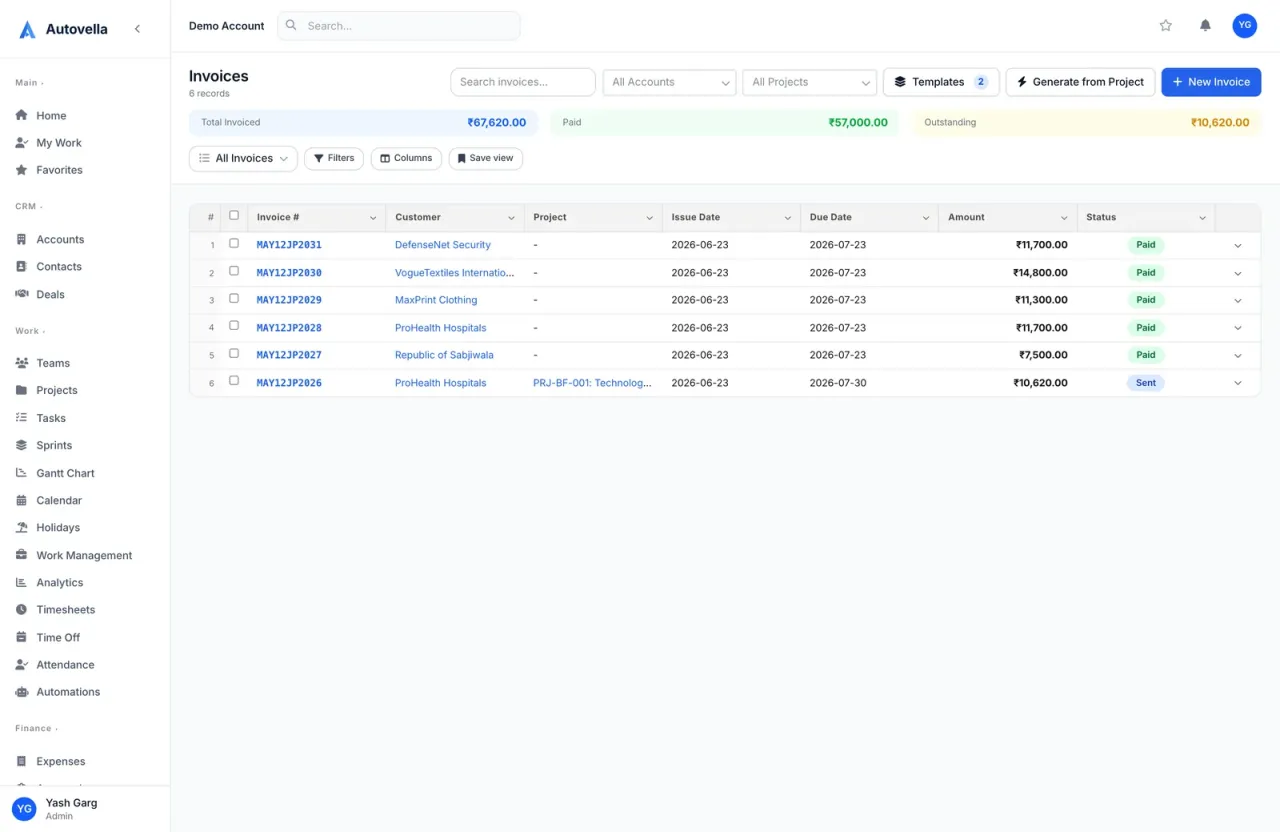
The example numbers
Worked example, not a customer result. All numbers below are made up to show the arithmetic. Replace them with your own rates, hours and fees.
- Monthly retainer fee: 4,000, for 40 included hours.
- Hours logged in the month: 46 (over the 40 included).
- Bill rate for overage: 100 per hour.
The billing maths
- Overage hours: 46 minus 40 = 6 hours.
- Overage charge: 6 times 100 = 600.
- Invoice total: 4,000 plus 600 = 4,600.
- Effective rate on the work done: 4,000 divided by 46 hours = about 87 per hour, below the 100 overage rate. This is the number to watch, because it shows whether the retainer is still worth its price.
In Autovella: log the hours on Timesheets against the retainer project, watch Hours Logged on the project's Overview tab, then use New Invoice with the retainer fee as a Custom Item, and Generate from Project for the overage hours. See Creating and sending invoices.
See how your retainers would look
Book a walkthrough with your own rates and hours.
Check the effective rate every month
Autovella does not calculate a retainer balance or an effective rate for you, so keep this simple habit: each month, divide the fee by the hours logged. If the number drifts down over several months, the scope has grown and the retainer needs a review.
Watch the double-billing trap. Generating an invoice does not mark timesheets as invoiced. If two invoice date ranges overlap, the same hours can be pulled in twice. Keep each date range separate.
What to set up once
- A retainer project with a Budget and a Client account link.
- A monthly scheduled report of hours by project. See Scheduled reports and alerts.
- Timesheet approvals by the account manager. See Approvals.
Frequently asked questions
No. Autovella does not create recurring invoices or track a retainer balance. You issue the monthly invoice yourself, with the fee as a Custom Item.
Log time against the retainer project and check Hours Logged on its Overview tab. Compare that total with the included hours.
Yes. Use Generate from Project for the date range after the included hours, then add the fee as a Custom Item on a separate invoice.