Because time and expenses live in the same system that generates invoices, billing doesn't require a separate export-and-rebuild step. This guide covers generating a one-off invoice, setting up recurring billing, and turning on payment reminders.
In this guide
Generating an invoice from logged timeSetting up recurring and retainer billingInvoicing in multiple currenciesPayment reminders and tracking statusFrequently asked questions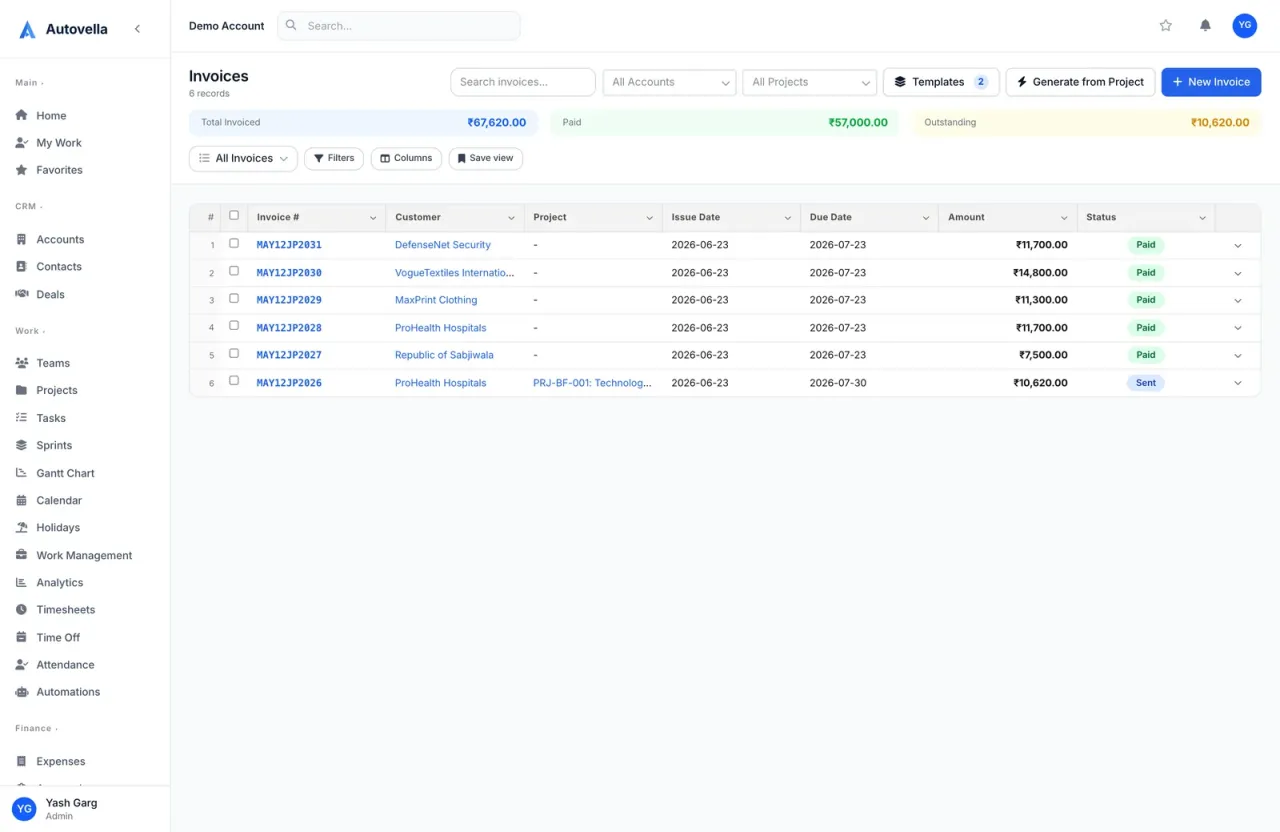
Generating an Invoice From Logged Time
From a project, select Generate Invoice and choose a date range, Autovella pulls in every approved, billable time entry and expense in that range, grouped by task or line item, and builds a draft. Review the draft, adjust a line item if needed, then send it directly or export it as a PDF.
Only approved time and expenses are eligible, unapproved entries are excluded automatically, which is what keeps a draft invoice accurate the first time instead of needing a correction pass, see Time Tracking and Timesheets for how approval works.
Setting Up Recurring and Retainer Billing
For retainer or fixed-fee clients, set up a recurring invoice schedule once under the project's billing settings, amount, cadence (weekly, monthly, quarterly), and billing day. From then on, the invoice generates itself on schedule, either sending automatically or landing in a review queue first, depending on your organization's settings.
Recurring billing removes the most common cause of late retainer invoices, someone simply forgetting to recreate it that month. Once configured, the schedule doesn't depend on anyone's memory.
Invoicing in Multiple Currencies
Set a client's billing currency on their account, and every invoice generated for that client uses it automatically, with line items and totals converted at generation time. Your own reporting currency (set at the organization level) stays consistent across all clients regardless of what currency each was billed in, so consolidated revenue reports don't require manual conversion.
Payment Reminders and Tracking Status
- Turn on automated reminders before and after the due date so follow-up doesn't depend on someone remembering
- Track each invoice's status (Draft, Sent, Viewed, Paid, Overdue) from one dashboard across all clients
- Record partial payments against an invoice rather than waiting for full payment to mark anything
- Review days sales outstanding (DSO) monthly to catch a slowing collection trend early
See invoicing built from logged time, end to end
We'll walk through generating, sending, and tracking an invoice live.
Frequently asked
Yes, generated invoices are drafts until sent. You can adjust quantities, rates, add a line item, or remove one before it goes out, the automation builds the starting draft, it doesn't remove your ability to review it.
Partial payments can be recorded against an invoice, which updates its status and remaining balance rather than requiring you to wait for full payment before marking anything paid. The unpaid balance stays visible in your receivables view.
The recurring schedule handles the routine, unchanged amount automatically. A mid-cycle change (a scope increase, a one-time add-on) is added manually as an extra line item or a separate one-off invoice for that cycle.